




While Stripchat can be enjoyed for free, purchasing tokens or tickets significantly expands your options and enhances the overall experience.


Because tokens and tickets purchased on the platform are refundable under certain conditions, you can use the service with peace of mind, even if unexpected technical issues or troubles occur.
In this guide, we will walk you through the essential refund policies to ensure your investments are protected.

If you are considering purchasing tokens or tickets, be sure to check the refund conditions and application methods in advance.
- The 3 Essential Conditions for Refunding Tokens
- Step-by-Step: How to Apply for a Token Refund on Stripchat
- Two Valid Cases for Requesting a Refund for Tickets
- How to Apply for a Ticket Refund on Stripchat
- FAQ: Frequently Asked Questions about Stripchat Refunds
- Summary: Secure Your Refund with Proper Procedures
The 3 Essential Conditions for Refunding Tokens
To use the paid services on Stripchat, you must purchase tokens.
If you find yourself thinking, “I made a mistake with my payment,” don’t panic.
Here are the 3 specific conditions required to qualify for a refund.
1. Payment Made via Credit Card or PayPal

While Stripchat offers various payment methods, refunds are strictly limited to transactions made through Credit Cards or PayPal.

For instance, tokens purchased using cryptocurrencies like Bitcoin or Ethereum are not eligible for refunds.
Once a transaction is finalized via cryptocurrency, it is irreversible. Always choose your payment method carefully if you want to maintain the option for a refund.
2. Within the Last 30 Days and the Most Recent Package
Stripchat has a strict 30-day time limit for refund requests. If more than 30 days have passed since the date of purchase, the request will be denied regardless of the reason.
The official refund policy states: “The purchase was within the last 30 days.”
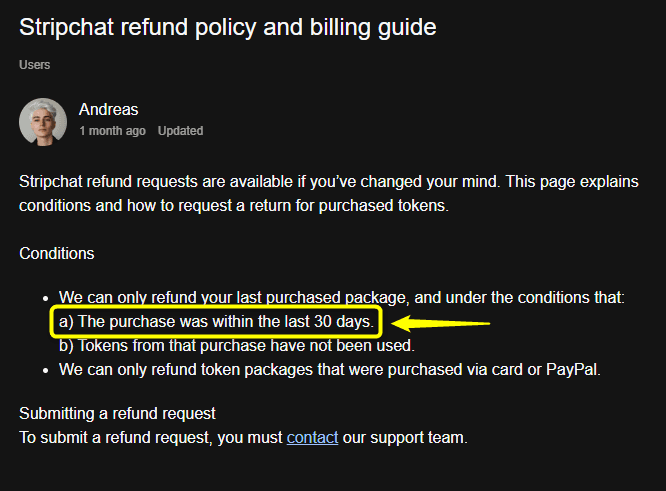
Furthermore, only the most recently purchased token package is eligible for a refund.
You can check your transaction history under the “Token History” section of your My Page.
While you can delete your coin history if it is no longer needed, you should keep the records if you are planning to apply for a refund.
3. Tokens Must Be Completely Unused
A refund will only be granted if the purchased tokens are in a completely unused state. If even a single token has been spent on gifts for models or joining a paid show, the entire package becomes ineligible for a refund.
Check out the different types of shows available here:

Always verify that your tokens are unused before proceeding with the refund application process.
Step-by-Step: How to Apply for a Token Refund on Stripchat
Applying for a refund on Stripchat is a straightforward process.
Follow these steps to submit your request to the support team.
1. Access the Support & FAQ Page
First, log in to your My Page on the official Stripchat site using your username and password.

Next, tap the three-line menu icon in the top left corner and select “Support & FAQ.”
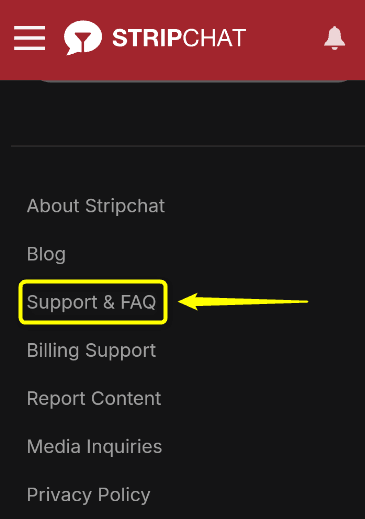
Stripchat support is available 24 hours a day, 365 days a year to assist you.

2. Enter Your Details in the Request Form
Once on the support page, scroll to the bottom and tap “Contact Support.” This will open the “Submit a request” page.
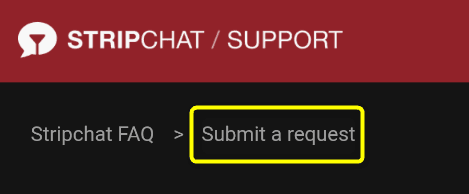
This will open the “Submit a request” page.
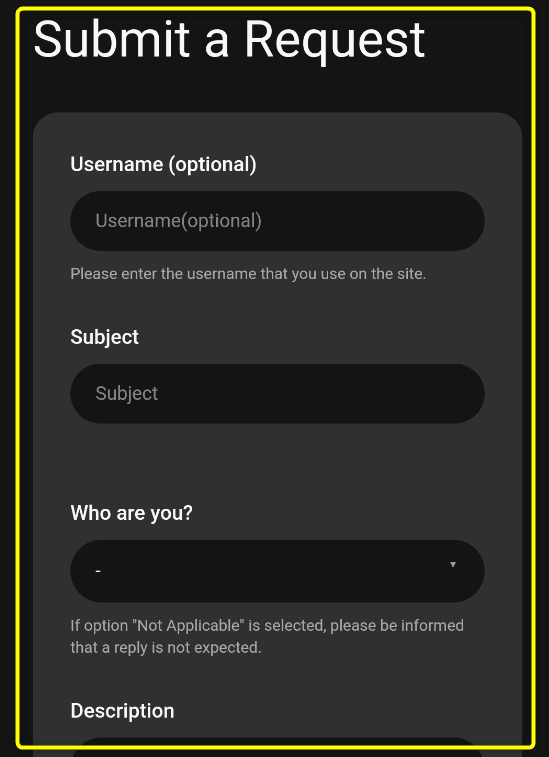
| Field Name | Description |
|---|---|
| Username | Enter your exact Account ID |
| Subject | Mention that you are requesting a token refund |
| Who are you? | Select “I am a User” |
| Issue type | Select “Billing and Subscriptions” |
| Issue details | Select “I want a refund” |
| Description | Provide details like the number of tokens and time of purchase |
When you select “I am a User,” the “Issue type” field will automatically appear with multiple options to choose from.
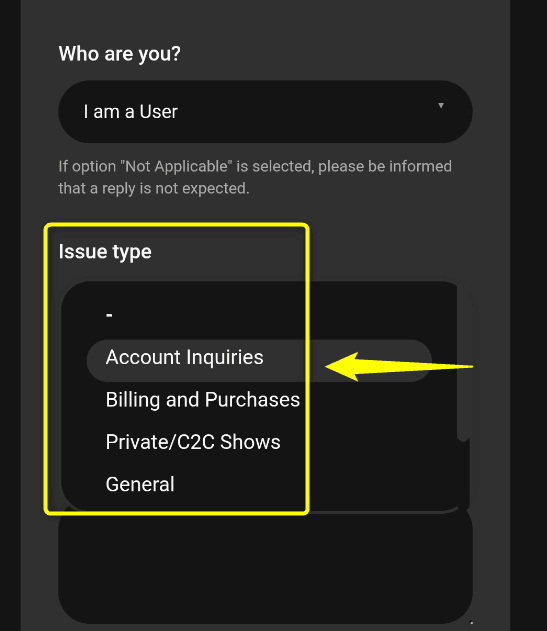
In the “Description” field, clearly state that you wish to have the tokens refunded. You don’t need to be overly formal; just provide the necessary facts.
3. Attach Proof and Tap “Submit”
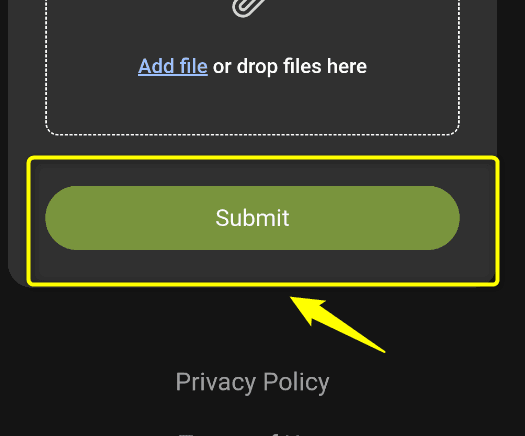
At the bottom of the page, there is an “Attachments (optional)” section. It is highly recommended to upload a screenshot of your purchase confirmation or the screen shown immediately after the transaction as evidence.
Once all fields are filled and your attachment is ready, tap the “Submit” button to complete your application.
After submitting, you will receive a reply via email. Please be aware that it may take anywhere from a few days to a week for the operation to process your request.
Two Valid Cases for Requesting a Refund for Tickets
A Stripchat Ticket Show is a paid, one-time purchase session where you spend tokens to watch a specific performer’s show.
Generally, these tickets are non-refundable.
However, if you meet either of the following two criteria, you are eligible to request a refund.
Case 1: Unable to View Due to Technical Connection Issues
If you joined a Ticket Show but were unable to watch the stream due to network failures or system errors on the platform’s side, you can apply for a refund.
You are also eligible for a refund if a system error prevents you from entering the Ticket Show room at all.
Please note that refunds will not be granted for issues caused by the user’s side, such as personal power outages or your own internet connection dropping.
Case 2: Promised Performances Were Not Delivered
In the description of a Ticket Show, models list the specific acts they will perform (e.g., “Blowjob,” “Nipple play,” “Anal”). If the model fails to perform the acts specified beforehand, you can request a refund.

This policy applies not only to Ticket Shows but also if a requested act in a Private Chat is not performed.

Crucial: Time Limits for Refund Requests
If you wait too long, your tokens will not be returned. Apply as soon as possible!
Over 100 Japanese models are online every night!Experience the Ultimate Excitement!
How to Apply for a Ticket Refund on Stripchat
There are two ways to request a refund for a Ticket Show on Stripchat.
- Contact the model within 20 minutes after the show ends.
- Apply to support within 48 hours after the show ends.
If you meet the refund criteria, you can use either method.
Depending on the model, their refund policy may be listed on their profile page.
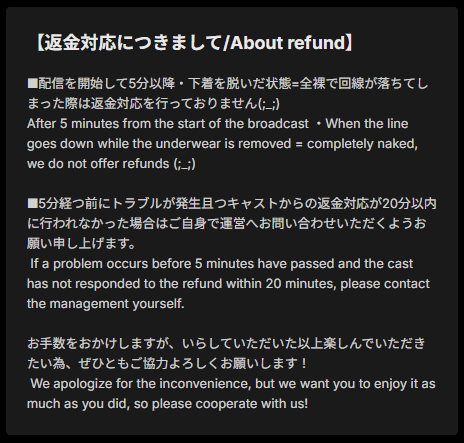
If you feel uncomfortable speaking to the model directly, please contact Stripchat support instead.
The process for applying for a ticket refund through support is exactly the same as the procedure for token refunds.
FAQ: Frequently Asked Questions about Stripchat Refunds
Here are some of the most common questions regarding refunds on Stripchat. If you are unsure about the process, please refer to these answers.
- QHow long does the refund process take?
- A
Since Stripchat is an international adult live chat platform, the refund process may take some time.
Typically, it takes between a few days to a week to receive a response from support after submitting your request. Additionally, please be aware that further time may be required for the refund to be processed and reflected on your credit card statement by your bank.
- QCan a refund request be rejected?
- A
Yes. If you do not meet the specific eligibility criteria for token or ticket refunds, your request may be denied.
Before applying, ensure that your tokens are unused, the purchase was within the last 30 days, or that the performance issues meet the platform’s valid case requirements.
Reviewing the conditions and your application details beforehand is highly recommended.
Summary: Secure Your Refund with Proper Procedures
In this article, we explained whether it is possible to refund tokens and tickets on Stripchat. Here are the key takeaways:
If you mistakenly purchased tokens or encountered issues like being unable to watch a Ticket Show, don’t hesitate to apply for a refund using these procedures.
Over 100 Japanese models are online every night!Experience the Ultimate Excitement!


Comments